What is Branding?

The "Branding" panel is where you can personalize the look of the proposals your clients see. There you can set:
the logo displayed in the proposal,
the proposal interface color,
a subdomain or your own domain.
You can create several different brandings, e.g. for different brands, departments or client groups.
Once created, a branding can be shared with other team members or the entire organization, so they don't have to configure it themselves.
How to create a branding?
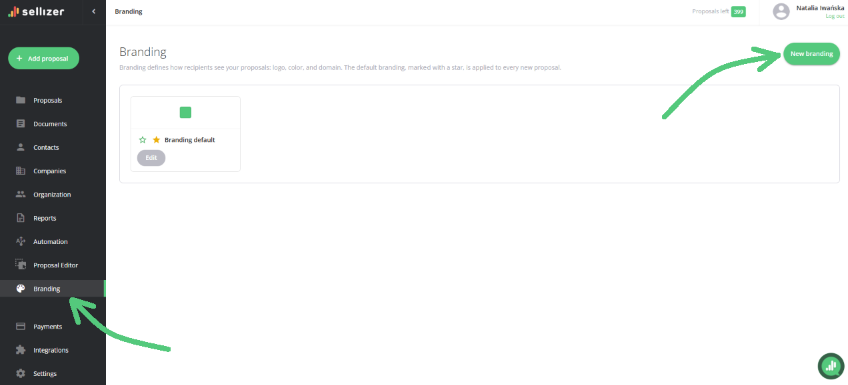
Go to the "Branding" panel on the right side.
Click "New branding".
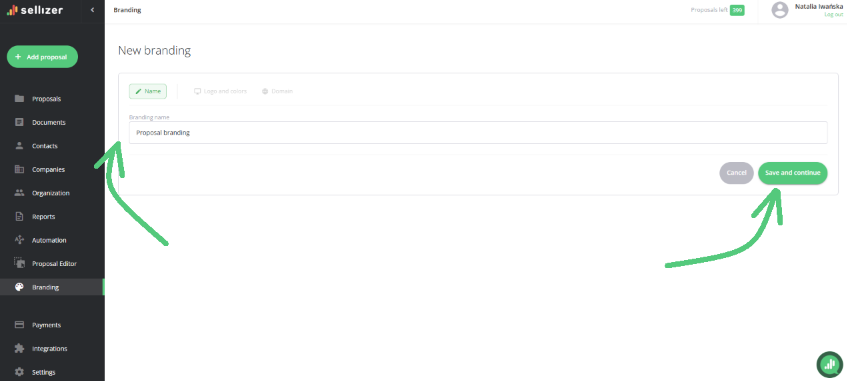
Enter a name for the branding and click "Save and continue".
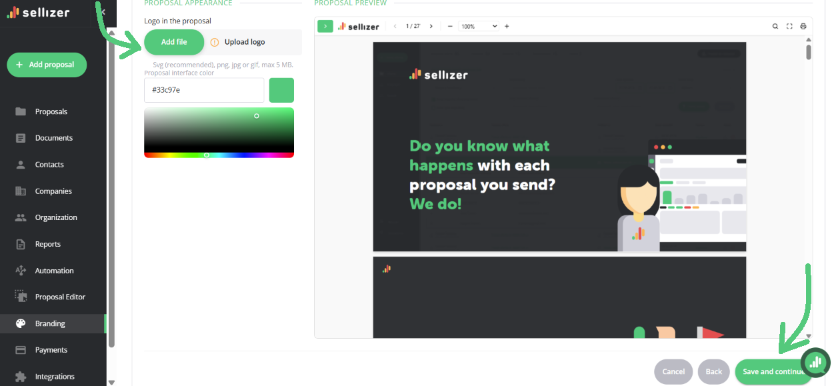
Add your company logo and choose the proposal interface color. Click "Save and continue".
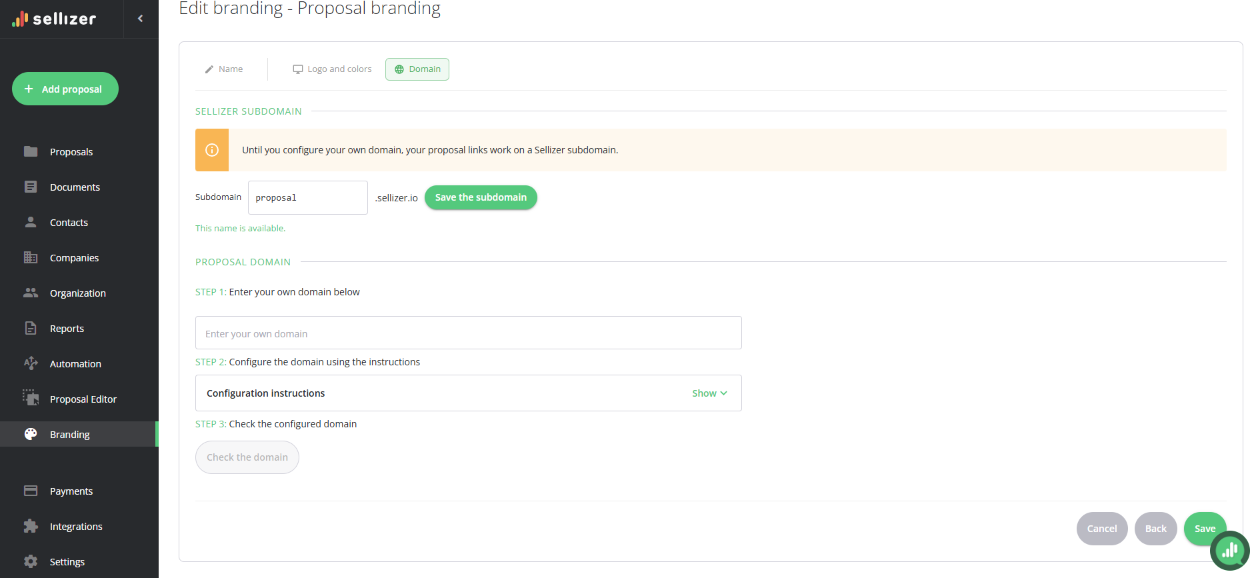
Finally, set the subdomain or domain under which your clients will open your proposals:
Subdomain is an address within the Sellizer domain, e.g. yourcompanyname.sellizer.io. Enter the name and click "Save subdomain".
Domain is an address within your own domain, e.g. proposal.yourdomain.com. To set it up, you need to add CNAME and TXT records with your domain provider (you'll find the details in the configuration guide). Then click "Check configured domain" and "Save" in the bottom right corner.
What can you do after creating a branding?
In the list of brandings, next to each one, you'll find icons that let you:
Share the branding with others - click the person icon to share the branding with selected team members or the entire organization.
Change the organization's default branding - click the yellow star. This option is available to administrators only.
Set your default branding - click the green star. This branding will be used automatically in your proposals.
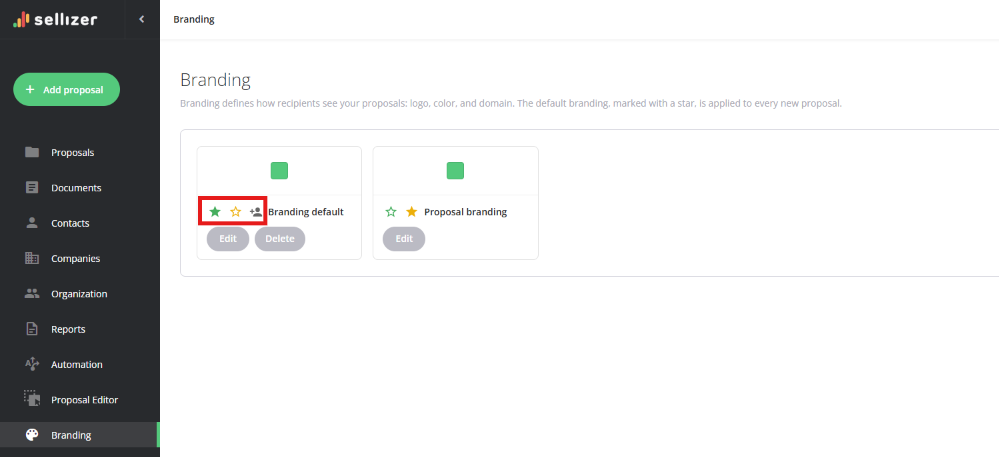
Icon meanings:
filled yellow star: the organization's default branding,
empty yellow star: set as the organization's default branding,
filled green star: your default branding,
empty green star: set as your default branding.
Changing the branding when sending a proposal
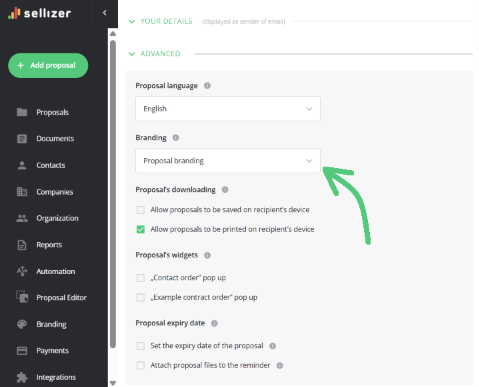
You can change the default branding to a different one for a specific proposal. While preparing the proposal for sending, go to the "Advanced" section and choose the branding you want to use.